Mastering Booleans in Swift: The Foundation of Logic
In the realm of programming, Booleans are more than just simple true or false values; they are the bedrock upon which all decision-making and control flow are built. In Swift, understanding and effectively using the Bool type is crucial for writing robust, readable, and efficient applications.
What is a Boolean?
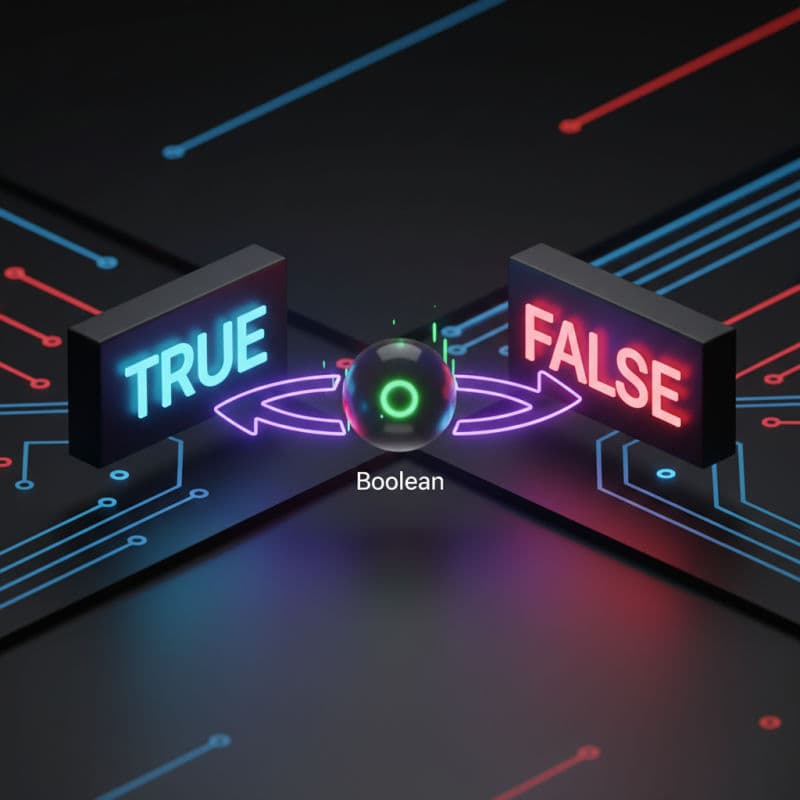
A Boolean is a fundamental data type representing two possible states: true (truth) or false (falsity). Named after George Boole, the pioneer of Boolean algebra, these values are indispensable for expressing logical conditions in code.
In Swift, the Boolean type is Bool.
let isActive: Bool = true
let hasPermission: Bool = false

print(isActive)
// Output: true
print(hasPermission)
// Output: false
While you can explicitly declare the type, Swift's type inference often simplifies this:
let isLoggedIn = true // Swift infers isLoggedIn as Bool
let isConnected = false // Swift infers isConnected as Bool
The Role of Booleans in Control Flow
Booleans shine brightest when directing the flow of your program. They are the primary mechanism for if statements, while loops, and guard statements.
Conditional Statements (if, else if, else)
Conditionally executing code blocks based on a Boolean value is a cornerstone of programming.
let userIsPremium = true
let subscriptionExpired = false

if userIsPremium {
    print("Welcome, premium user! Enjoy all features.")
} else if subscriptionExpired {
    print("Your subscription has expired. Please renew.")
} else {
    print("Standard features available. Upgrade to premium for more!")
}
Loops (while)
Booleans control the continuation of while loops, ensuring repetition until a condition is met.
var counter = 0
let maxCount = 5

while counter < maxCount {
    print("Current count: \(counter)")
    counter += 1
}
print("Loop finished.")
Early Exit (guard)
guard statements use Booleans to enforce preconditions, ensuring that specific conditions are true before continuing execution. This promotes cleaner, less nested code by handling failure cases early.
func processImageData(isValidSize: Bool, isHighRes: Bool) {
    guard isValidSize else {
        print("Error: Image size is invalid.")
        return
    }

    guard isHighRes else {
        print("Warning: Image is not high resolution.")
        // Can continue, or return if high-res is strictly required
        // For this example, let's just warn and continue to process what we have.
    }

    print("Processing image data...")
    // ... perform image processing ...
}

processImageData(isValidSize: false, isHighRes: true)
// Output: Error: Image size is invalid.

processImageData(isValidSize: true, isHighRes: false)
// Output: Warning: Image is not high resolution.
// Output: Processing image data...

processImageData(isValidSize: true, isHighRes: true)
// Output: Processing image data...
Logical Operators
Swift provides several logical operators to combine or modify Boolean values, enabling complex conditional logic.
- Logical NOT (
!): Inverts a Boolean value.
- Logical AND (
&&): Returns true if both operands are true.
- Logical OR (
||): Returns true if at least one operand is true.
let canBookFlight = true
let hasPassport = false
let hasVisa = true
let isAdult = true

// Logical NOT
let cannotBookFlight = !canBookFlight // false
print("Cannot book flight: \(cannotBookFlight)")

// Logical AND
if hasPassport && hasVisa && isAdult {
    print("Eligible for international travel.")
} else {
    print("Cannot travel internationally due to missing requirements.")
}

// Logical OR
let hasStudentDiscount = false
let hasSeniorDiscount = true

if hasStudentDiscount || hasSeniorDiscount {
    print("Eligible for a discount.")
} else {
    print("No discount applicable.")
}

// Combining operators with parentheses for clarity
let isWeekend = true
let hasMeeting = false

if (isWeekend && !hasMeeting) || (isAdult && hasPassport) {
    print("Consider this a good day for leisure or important tasks.")
} else {
    print("Focus on work or other obligations.")
}
Swift's logical operators use short-circuit evaluation, meaning they stop evaluating as soon as the result can be determined:
- For
&&, if the first operand is false, the second is not evaluated.
- For
||, if the first operand is true, the second is not evaluated.
This can be important for performance and preventing side effects:
func checkConditionA() -> Bool {
    print("Checking condition A...")
    return false
}

func checkConditionB() -> Bool {
    print("Checking condition B...")
    return true
}

// Short-circuiting with &&
if checkConditionA() && checkConditionB() {
    // This block will not be executed
}
// Output: Checking condition A...
// Note: checkConditionB() is NOT called because checkConditionA() is false.

print("\n")

func checkConditionX() -> Bool {
    print("Checking condition X...")
    return true
}

func checkConditionY() -> Bool {
    print("Checking condition Y...")
    return false
}

// Short-circuiting with ||
if checkConditionX() || checkConditionY() {
    // This block WILL be executed
}
// Output: Checking condition X...
// Note: checkConditionY() is NOT called because checkConditionX() is true.
Boolean Conversion and Comparison
Swift is a type-safe language, meaning it does not implicitly convert non-Boolean values to Booleans (e.g., non-zero numbers to true). You must explicitly perform comparisons to get a Bool.
let itemCount = 0

// Invalid: Swift does not allow direct use of non-Boolean types in conditional statements
// if itemCount { ... } // Compile-time error

// Correct: Use comparison operators to produce a Bool
if itemCount > 0 {
    print("There are items.")
} else {
    print("No items.")
}

let username = "" // An empty string

if !username.isEmpty {
    print("Username is provided.")
} else {
    print("Username is empty.")
}
Comparison Operators
Comparison operators always return a Bool value:
- Equality (
==, !=)
- Greater than (
>), Less than (<)
- Greater than or equal to (
>=), Less than or equal to (<=)
let score = 95
let passingScore = 70

let passedExam = score >= passingScore // true
let perfectScore = score == 100 // false
let failedExam = score < passingScore // false

if passedExam {
    print("Congratulations, you passed!")
}

if !perfectScore {
    print("You can still aim higher!")
}
Optional Booleans (Bool?)
Just like any other type in Swift, Bool can be optional (Bool?), meaning it can hold true, false, or nil.
var userAgreedToTerms: Bool? = nil // User hasn't made a choice yet
userAgreedToTerms = true           // User agreed

if let agreed = userAgreedToTerms, agreed {
    print("User explicitly agreed to terms.")
} else if userAgreedToTerms == false {
    print("User explicitly declined terms.")
} else {
    print("User has not yet responded to terms.")
}
Handling Bool? requires careful unwrapping or nil-coalescing to avoid runtime errors (nil is not the same as false).
var preferenceEnabled: Bool? = nil

// Using nil-coalescing, default to false if nil
let actualPreference = preferenceEnabled ?? false

if actualPreference {
    print("Preference is enabled (or defaulted to true).")
} else {
    print("Preference is disabled (or defaulted to false).")
}

preferenceEnabled = true
let updatedPreference = preferenceEnabled ?? false
print("Updated preference: \(updatedPreference)")
Best Practices for Using Booleans
-
Use Descriptive Names: Boolean variables should clearly state what they represent, often starting with verbs like is, has, can, should (e.g., isLoggedIn, hasPermissions, canEdit).
-
Avoid Redundant Comparisons: Directly use Boolean variables in if statements instead of comparing them to true or false.
let isValid = true

// Bad practice
if isValid == true {
    // ...
}

// Good practice
if isValid {
    // ...
}

// Bad practice
if isValid == false {
    // ...
}

// Good practice (using logical NOT)
if !isValid {
    // ...
}
-
Favor guard for Early Exit: When a condition must be true for a function to proceed, use guard to improve readability and reduce nesting.
Conclusion
Booleans are fundamental building blocks of Swift programming, empowering your applications to make decisions, control execution paths, and respond dynamically to various conditions. By mastering the Bool type, its operators, and best practices, you can write more logical, robust, and maintainable Swift code, laying a solid foundation for any sophisticated application.
Embrace the power of true and false to bring intelligent behavior to your Swift projects.