Mastering MVC in iOS: A Deep Dive into Apple's Foundational Architecture
Model-View-Controller (MVC) is one of the most fundamental architectural patterns in iOS development, deeply ingrained in Apple's frameworks. Understanding MVC is crucial for any iOS developer, providing a solid foundation for building applications. This article will guide you through MVC's core concepts, its implementation in iOS, and how to effectively leverage it.
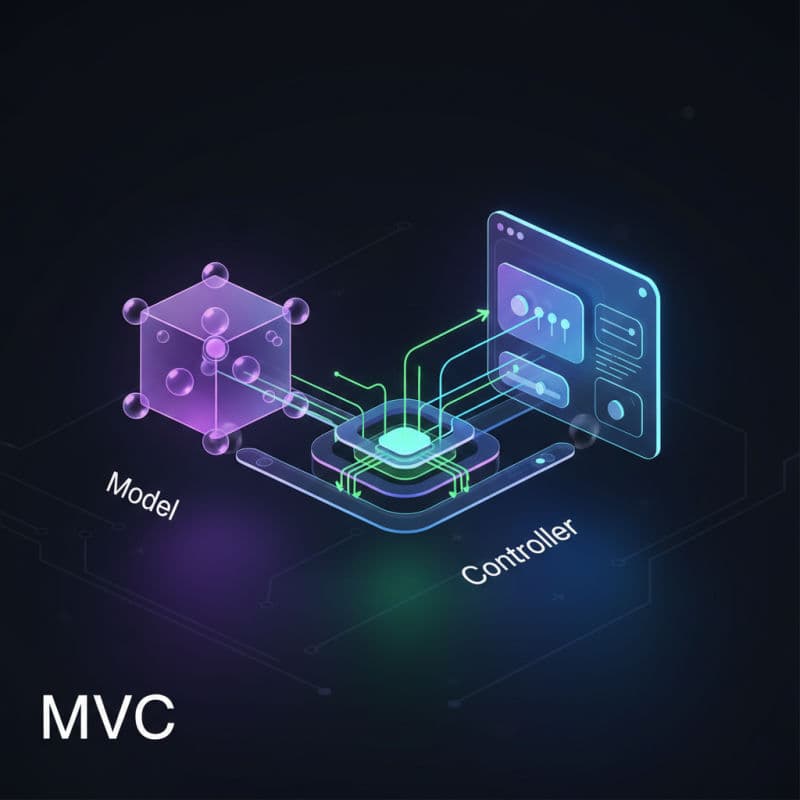
What is Model-View-Controller (MVC)?
Model-View-Controller (MVC) is a classic software architectural pattern widely used for developing user interfaces that are maintainable and scalable. It separates an application into three interconnected components, each with distinct responsibilities:
-
Model: The Model represents the application's data and business logic. It's responsible for managing the data, retrieving it, storing it, and providing interfaces for manipulating it. The Model should be completely independent of the user interface.
-
View: The View is the user interface of the application. It's responsible for presenting data to the user and capturing user input. The View should be as 'dumb' as possible, only displaying what the Model or Controller tells it to display, without containing any business logic.
-
Controller: The Controller acts as an intermediary between the Model and the View. It receives user input from the View, interprets it, updates the Model based on the input, and then updates the View to reflect changes in the Model. It's responsible for managing the flow of data between the Model and the View.
In essence, MVC aims to achieve 'separation of concerns,' making different parts of your application easier to develop, test, and debug independently. This pattern is deeply ingrained in Apple's UIKit framework, making it a natural fit for iOS development.
MVC in iOS: A Practical Perspective
When developing for iOS using UIKit, you'll find that many of Apple's core classes align perfectly with the MVC pattern. Here's how they typically map:
-
Models: Often represented by custom Swift classes or structs. These might be
Codablestructs for parsing JSON,Core Dataentities, or simple data objects. They hold the data and might contain methods for data validation or manipulation. -
Views: In iOS, Views are primarily instances of
UIViewand its subclasses, such asUILabel,UIButton,UIImageView, and entireUITableVieworUICollectionViewobjects. Storyboards and NIBs are also heavily involved in defining the View layer. -
Controllers: The
UIViewControllerclass and its subclasses (e.g.,UITableViewController,UINavigationController) are the quintessential Controllers in iOS. They manage the lifecycle of a View, respond to user interactions (viaIBActions), update the Model, and refresh the View with new data.UIViewControlleracts as the glue that binds the Model and View together.
Let's consider a simple example: a counter application. The Model would be a simple Int value, the View would be a UILabel to display the count and a UIButton to increment it, and the Controller would be a UIViewController that handles the button tap, updates the Int (Model), and refreshes the UILabel (View).
Implementing a Simple Counter App with MVC
Let's build a basic counter application to illustrate MVC in action. We'll define a simple Counter Model, a ViewController to act as our Controller, and UILabel and UIButton instances as our Views.
First, define your Model. This encapsulates the data and any logic related to it. For a simple counter, it's straightforward:
Next, our ViewController will be the Controller. It will hold an instance of our Counter Model, manage the UILabel and UIButton Views, and handle user interactions.
In this example, the ViewController (Controller) observes user interaction (button tap) from the incrementButton (View). It then tells the counterModel (Model) to update its state. Finally, it queries the counterModel for its new state and updates the countLabel (View) accordingly. This demonstrates the core responsibilities of each MVC component. This code is compatible with iOS 9.0+.
The 'Massive View Controller' Problem and How to Mitigate It
While MVC is a fantastic starting point and deeply embedded in Apple's frameworks, it has a common pitfall: the 'Massive View Controller' problem. This occurs when View Controllers become overloaded with too much responsibility, handling everything from view layout and data fetching to business logic and data manipulation. This leads to View Controllers that are hard to read, test, and maintain.
You can mitigate this problem by consciously adhering to the separation of concerns:
- Extract Business Logic to the Model: Ensure your Model isn't just passive data. Give it methods that encapsulate business rules related to that data.
- Move View Logic to Custom Views: If a
UIViewsubclass needs specific drawing logic or complex subview layout, encapsulate that directly within the customUIViewitself, rather than cluttering itsUIViewController. - Use Helper Objects: Delegate responsibilities out of your
UIViewControllerto helper objects. For example:- Data Sources/Delegates: For
UITableVieworUICollectionView, move theUITableViewDataSourceandUITableViewDelegateimplementations to separate classes. - Routers/Coordinators: Manage navigation flow outside the
UIViewController. - Network Managers: Handle API calls in dedicated network service classes.
- Data Managers/Persistence Layers: Abstract away database or disk persistence logic.
- Data Sources/Delegates: For
By being mindful of these strategies, you can keep your UIViewControllers lean and focused on their core task as the intermediary between Model and View.
Benefits and Considerations of MVC
Benefits
- Simplicity and Familiarity: MVC is easy to understand and is the default pattern for UIKit, meaning Apple provides excellent tooling and documentation for it.
- Clear Separation of Concerns: When applied correctly, it helps organize code into logical components, making it easier to manage.
- Testability: Models and Views can often be tested independently. Although View Controllers can be harder to unit test due to their tight coupling with UI elements, extracting logic helps.
- Robust Foundation: Understanding MVC is a gateway to understanding more complex architectural patterns, as many are derived from or address MVC's shortcomings.
Considerations
- 'Massive View Controller' (MVC): This is the most common critique. Without discipline, Controllers can become huge and unmanageable.
- Tight Coupling: In practice, View Controllers often have strong references to both Models and Views, which can lead to tight coupling and make refactoring challenging.
- Limited Communication: The communication flow is less explicit compared to patterns like MVVM, which often leverage reactive programming for better data flow management.
Despite its criticisms, MVC remains a critical pattern for iOS developers. It forms the backbone of many existing projects and is a fundamental concept to grasp before exploring alternatives like MVVM, VIPER, or the Composable Architecture in SwiftUI. Proper application of MVC best practices, like decomposing complex controllers, can lead to highly maintainable and understandable applications.
Common Interview Questions
What is the primary role of the Controller in MVC for iOS?
In iOS MVC, the `UIViewController` (Controller) acts as the intermediary. It receives user input from the View, translates it into actions, updates the Model, and then updates the View to reflect changes in the Model's state. It manages the lifecycle of its associated `UIView` and coordinates between it and the data Model.
How does the 'Massive View Controller' problem occur in MVC?
The 'Massive View Controller' problem occurs when a `UIViewController` takes on too many responsibilities. This includes handling network requests, data parsing, complex business logic, extensive view layout, and even data persistence, making the controller enormous, hard to read, and difficult to test and maintain.
What are some strategies to avoid a Massive View Controller?
To avoid a Massive View Controller, you should extract responsibilities. Move business logic to the Model, encapsulate view-specific logic within custom `UIView` subclasses, and delegate concerns like networking, data persistence, and navigation to separate 'helper' objects or services (e.g., dedicated Data Managers, Network Services, Coordinators).
When should I choose MVC over other architectural patterns like MVVM in iOS?
You might choose MVC when starting a new project with relatively simple screens, or when working on existing projects that are already structured with MVC. It's also a good choice if you're new to iOS development, as it aligns directly with Apple's UIKit frameworks and default project templates. For complex, highly interactive, or data-driven UIs, patterns like MVVM or VIPER might offer better testability and separation.
Can I use MVC with SwiftUI?
While SwiftUI introduces a more reactive and declarative paradigm, you can still conceptually apply MVC principles. Your 'Model' remains the same (your data structures and business logic). However, `View`s become `SwiftUI.View` structs, and the 'Controller' role is often absorbed into the `View` itself or delegated to observable objects (`ObservableObject`) that manage view state and interact with the Model, blurring the lines of the traditional Controller in favor of MVVM-like patterns.